

How It Works
1
Save a page
Use the Chrome Extension, iOS Shortcut, or MCP to save any URL.
2
AI summarizes
Nudget reads the full content and generates a concise summary.
3
Delivered in your briefing
The summary appears in your next daily briefing alongside your subscriptions.
Ways to Save
Chrome Extension
Click Save for Summary on any page you’re reading.
iOS Shortcut
Tap Share in any app → Save to Nudget. One tap from anywhere on your phone.
MCP
Save URLs directly from AI tools like Claude or Cursor.
Chrome Extension
The fastest way to save from your desktop. Open any page, click the Nudget icon, and hit Save for Summary.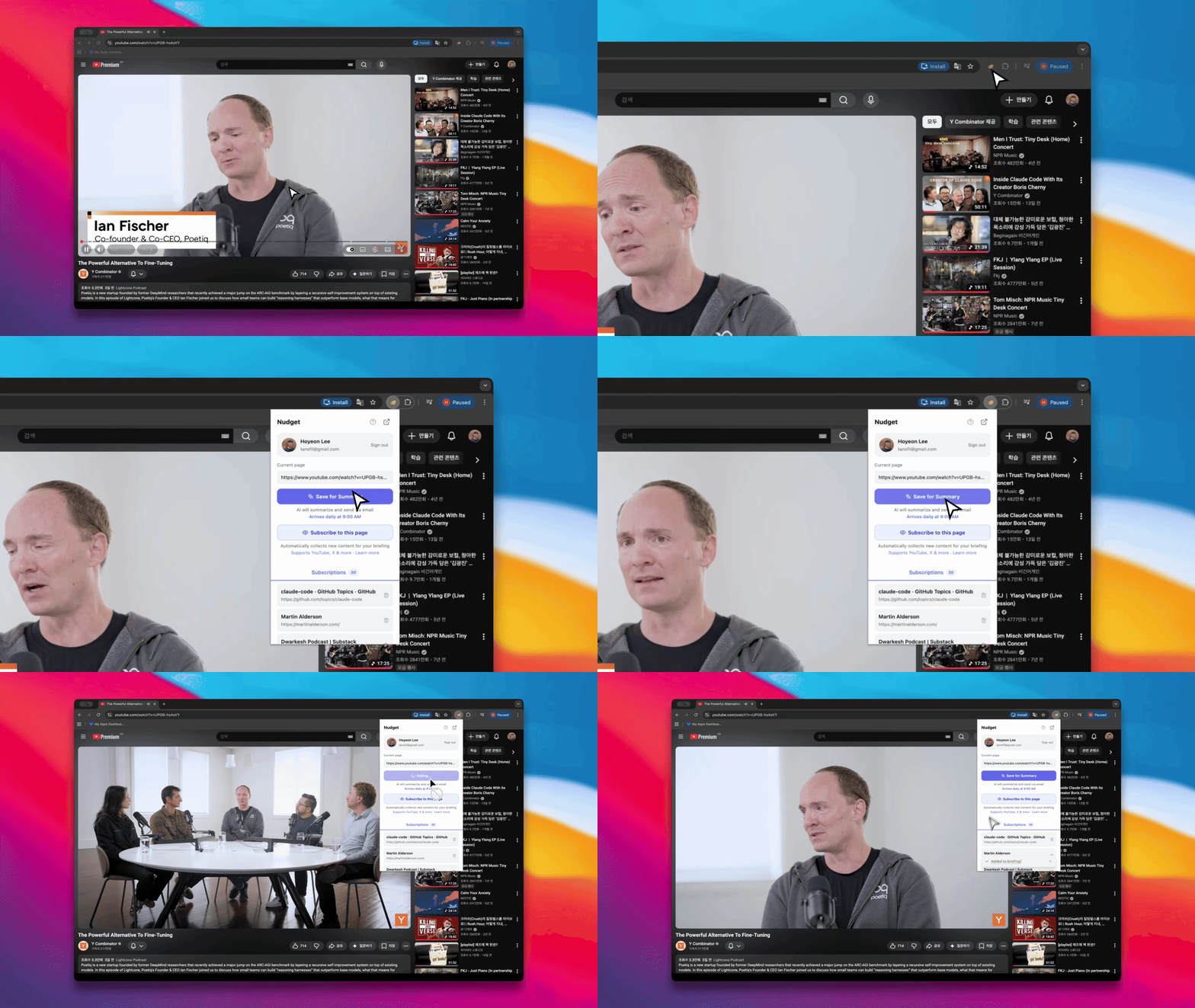
Saving a YouTube video for your next briefing
Chrome Extension Guide
Install and set up the extension
iOS Shortcut
Save articles from your phone with one tap. Go to Settings and tap Set up iOS Shortcut to get started.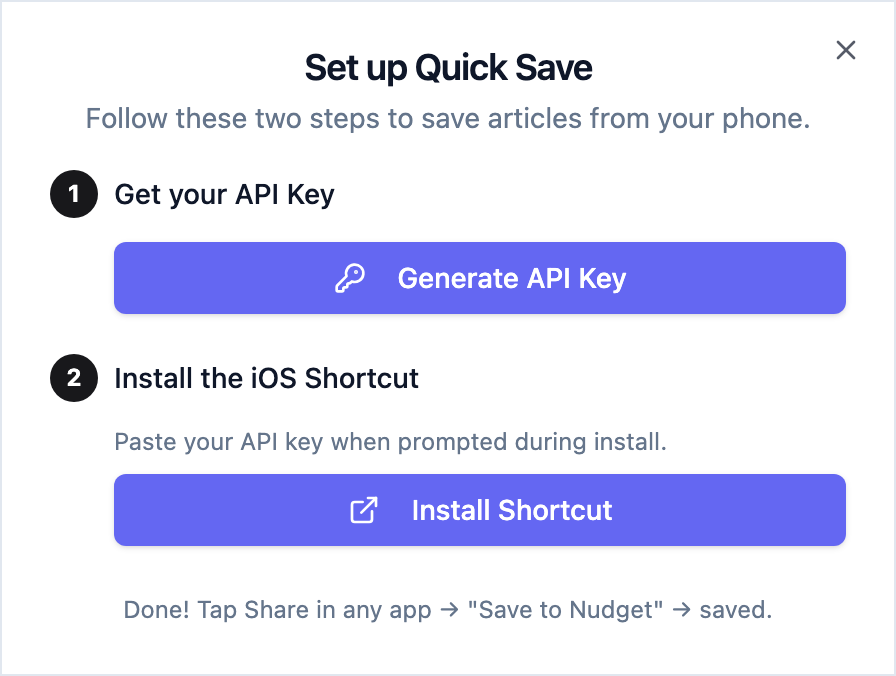
1
Generate an API Key
Tap Generate API Key and copy it.
2
Install the Shortcut
Tap Install Shortcut and paste your API key when prompted.
3
Save from anywhere
In any app, tap Share → Save to Nudget. Done.
API Keys Guide
Create your API key
MCP
If you use AI tools like Claude or Cursor, you can save URLs through the Nudget MCP server.MCP Setup Guide
Connect your AI tools
Viewing Saved Items
All saved items appear in the Saved tab on your dashboard. You can filter by status:- Queued — waiting to be processed by AI
- Processed — summary ready, included in your next briefing
Next Steps
Chrome Extension
Save pages from your browser
Subscriptions
Automatically collect content from your favorite sources