

Use Cases
Found a great YouTube channel?
Click Subscribe to this page — Nudget auto-detects the platform and starts watching for new uploads.
Reading an article worth revisiting?
Click Save for Summary — AI summarizes it and includes it in tonight’s briefing.
Want to monitor a job board or blog?
Click Subscribe to this page on any website — Nudget lets you subscribe to pages that don’t have RSS or social feeds.
Need to know when a page changes?
Select a specific area to monitor — get notified when that section updates.
Getting Started
1
Install
Install Nudget from the Chrome Web Store.
2
Sign In
Click the Nudget icon in your browser toolbar and sign in with your Google account.
3
Start Using
Navigate to any page and use Save for Summary or Subscribe to this page.
Save for Summary
Click Save for Summary to save the current page. AI summarizes and includes it in your next daily briefing. You can review saved items anytime on the web dashboard.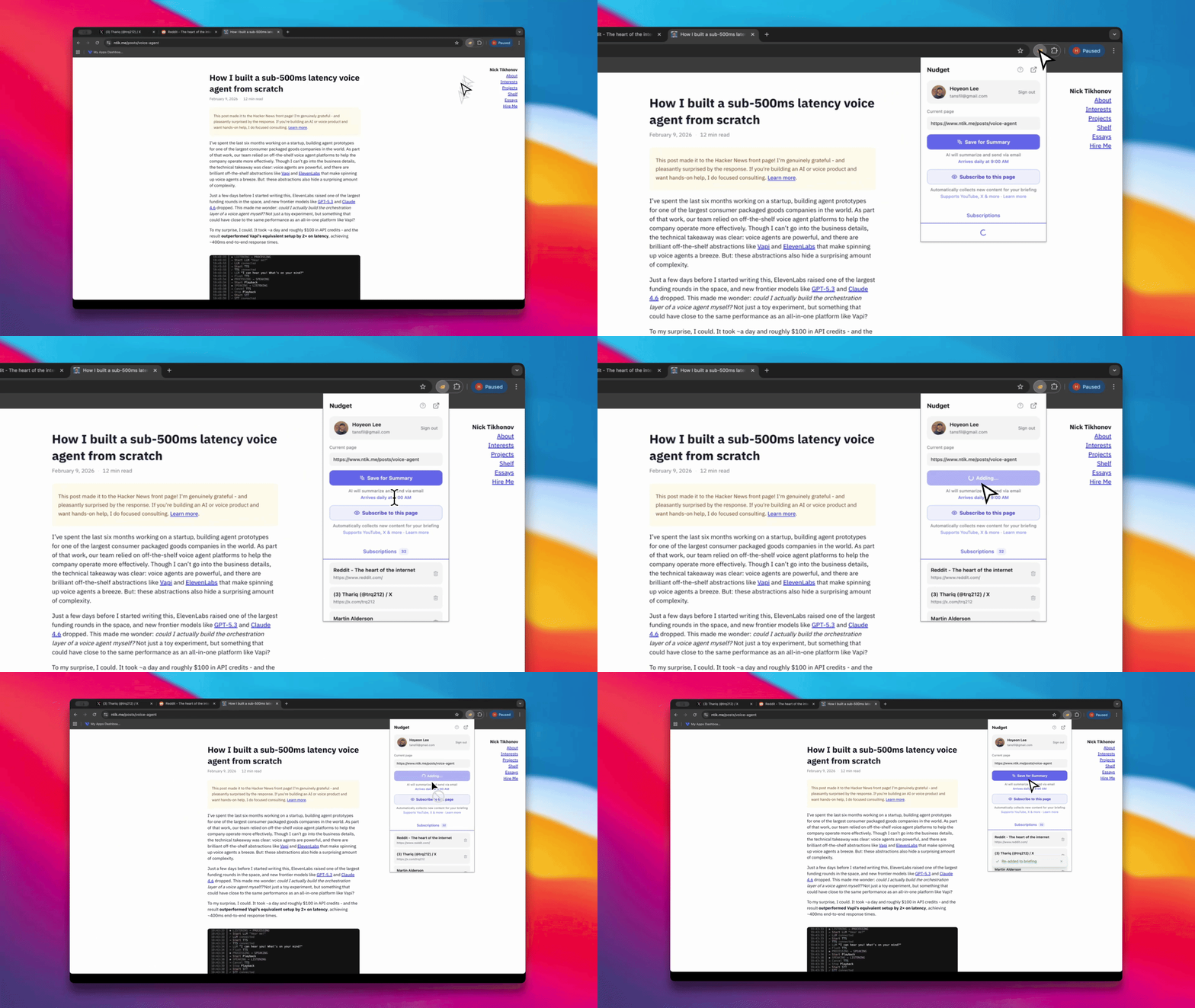
Saving an article for your next briefing
Subscribe to this page
Click Subscribe to this page to subscribe to the current page. Nudget auto-detects the platform and applies the best subscription type. Instantly recognized platforms:Any other website
For sites not listed above — company blogs, job boards, documentation, newsletters — you choose how to monitor:New Post Detection
Detects when new items appear on a listing page.
Content Change Detection
Monitors a specific area and notifies you when the content changes.
How New Post Detection works
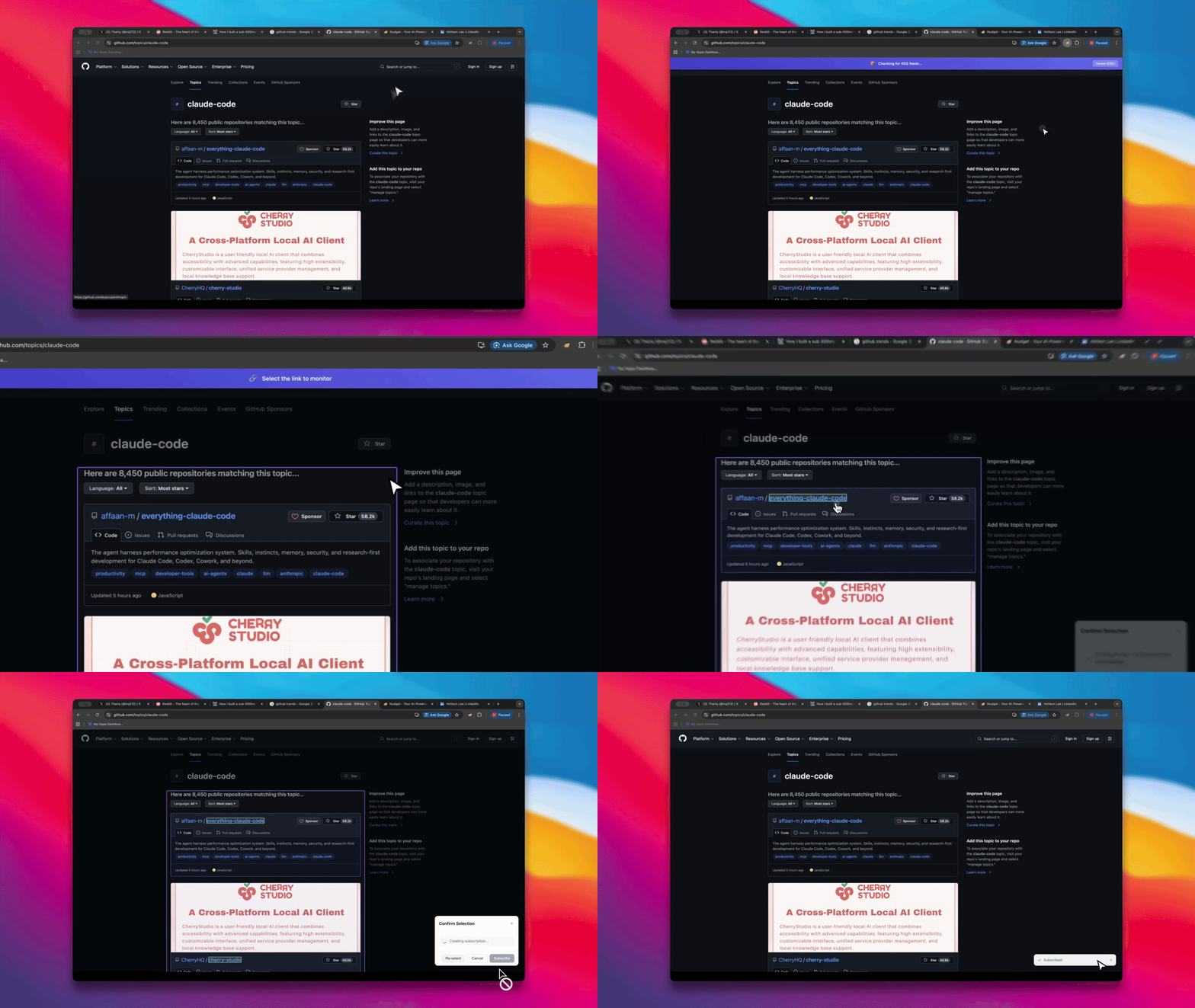
Selecting a list area — AI detects the pattern and finds individual links
1
Select the list area
Click the area on the page that contains the list of posts. AI automatically detects the list pattern.
2
Verify the links
Confirm that the detected individual links are correct.
3
Confirm and subscribe
Review the detected items and click Subscribe to complete.
If the page has an RSS feed, Nudget will detect it and offer to subscribe via RSS first — often the most reliable option.
How Content Change Detection works
Select the area you want to monitor, then click Subscribe. Nudget periodically checks that section and notifies you when the content changes.Next Steps
Subscription Types
Learn about all supported subscription types
Lenses
Organize your digest into topic-based sections
Digest Modes
Choose how detailed your briefings are
Slack Integration
Get your digest delivered to Slack